
I’m not the best person at organizing my life, I’ll be the first to admit it. Keeping track of chores and readily having allowance at hand are also included into the packaged deal of things I always forget to do. My teen is always apt to remind me of this; so it is kind of an anomaly that he would be the one most excited to have a My Job Chart App. It’s definitely made things smoother in my home and really motivated my son. Instead of having to pester me in the middle of the day about what his chores are while I’m wrangling his brother, he can just look at his phone. And of course instead of having to pester me about his allowance everyday, he’s automatically earning it and has the ultimate responsibility of choosing how he wants to spend or save it.
My Job Chart works on both Apple and Android phones as well as the computer. It is a FREE App that you can coordinate between your family members, meaning there can be multiple people on the same application. This way you and your partner/spouse can be on the same page with what chores/jobs are applicable for your children and who has done what and in turn, your children each have their own login to keep track of their points and how they wish to manage them.
 |
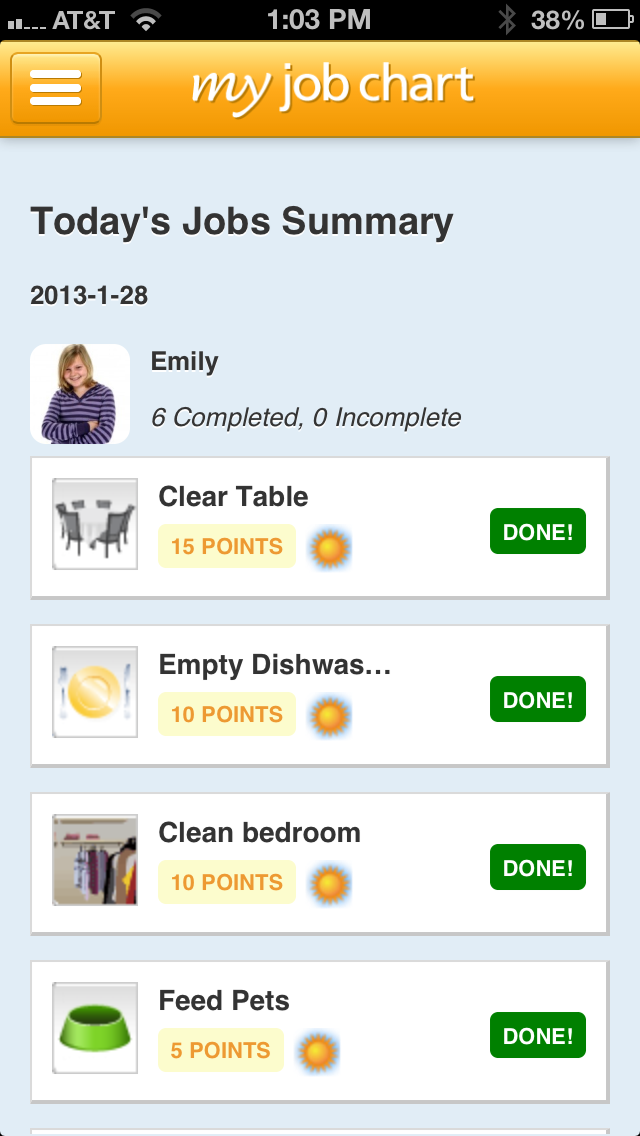 |
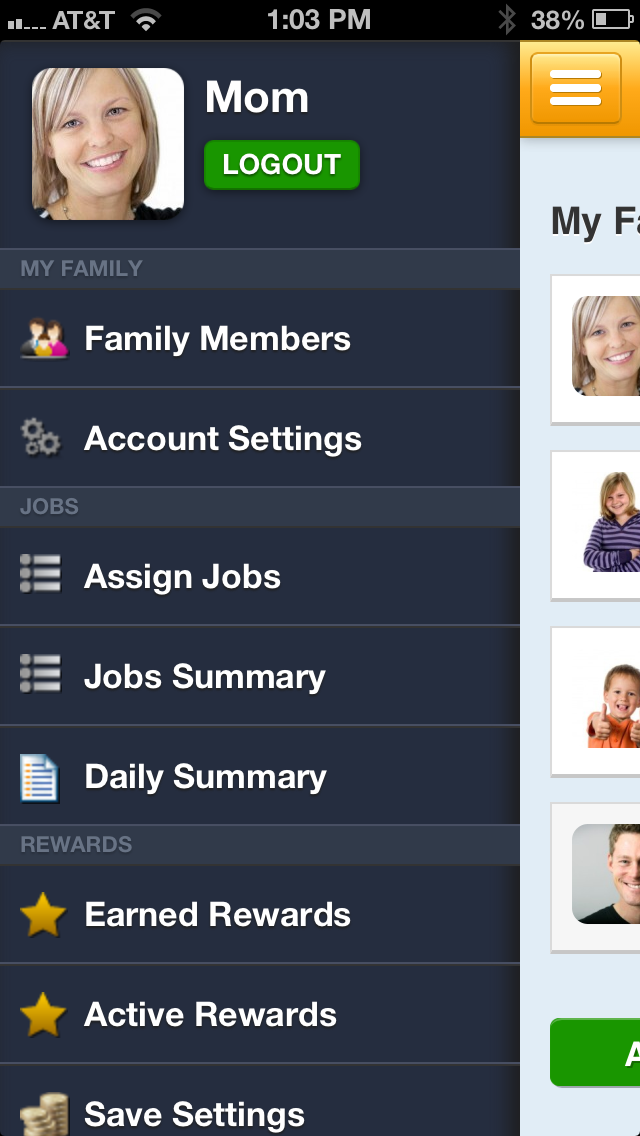
The Parents Login gives you access to:
- Add & Remove family members.
- Change communication preferences.
- Add & Remove jobs
- View Summary of kids jobs
- Add & Remove Save, Share and Spend options
 |
 |
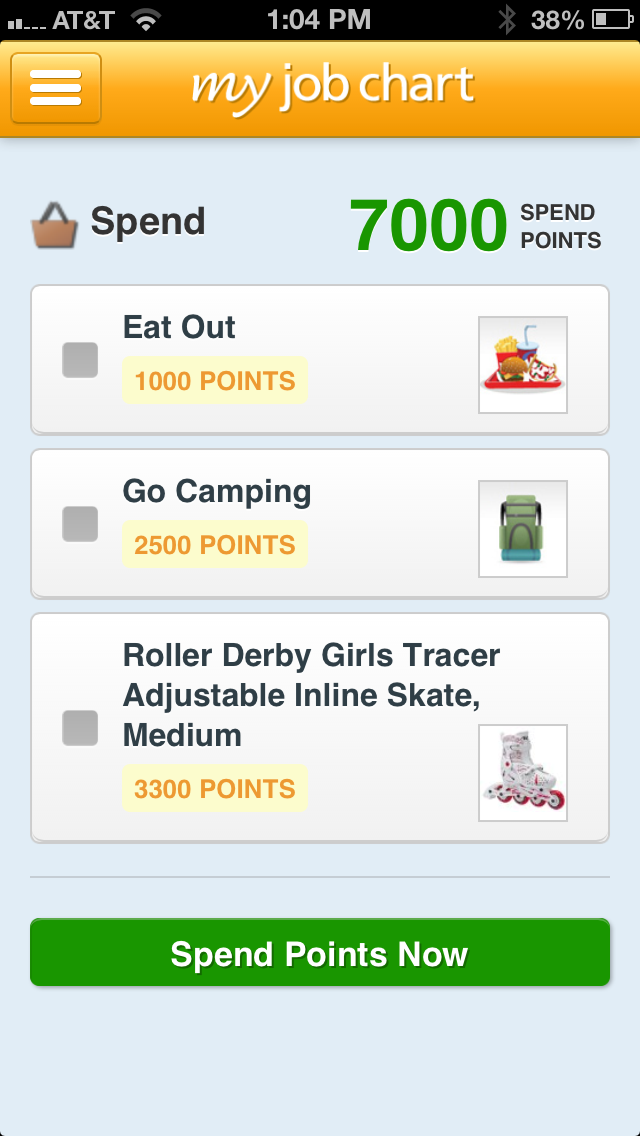 |
Kids Can Access:
- Day & Evening Job Lists
- Extra Jobs (non-reoccurring jobs)
- Organize Points
- See Messages from Parents
I really like the point system that is set up with My Job Chart. Most kids these days understand point systems due to video games. My teen, for example, gets the idea from Microsoft Points. Each chore gives an allotted amount of points that you set up. So cleaning their room could be 100 points ($1.00) and babysitting their sibling could be adjusted to 1000 points ($10.00). It allows you to choose if the job is 1 Day Only, Everyday, Every Week or an Extra Job (non-reoccurring). It has a list of Jobs for everything! From combing their hair (which is a chore in a teen’s handbook) to writing grandma and saying their prayers. If you don’t find the job you are looking for, you can Add Custom Job and add it to the list.

Kids ultimately have the responsibility over their Save, Share and Spend options. There are multiple things that they can use their points on that My Job Chart has already included with the Spend Rewards page. However, if you don’t see the items that you want, you can always add them through Add Custom Reward. I had created a lot of them for my teen who is more apt to work towards video games and books.
When your child is ready to redeem their reward, you receive an email notification that has an automatic link that once clicked, adds the reward to your Amazon shopping cart.
I love the ease of My Job Chart. It’s very simple to use and I can create the Job Chart at the beginning of the week and let my son take responsibility for his work. It is designed very much like a real job where kids can take responsibility of their work ethics and finances, which is important for teens. My son in the next few years will be new to the actual workforce and this gives him the ability to understand what it means to have personal goals and achievement in work.
You can learn more about My Job Chart on their website and/or download it on your Smartphone or Tablet through the Apple or Android Marketplace.